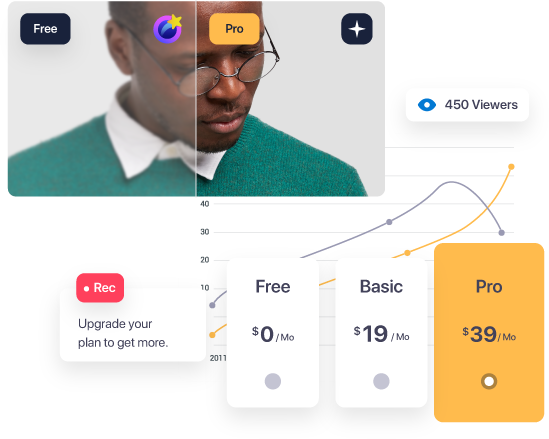

Find the Perfect
Plan for YOU

Grow your brand with evmux. Let's do it properly, together.

balloon image 1 balloon image 2 balloon image 3
Our Plans
Individual
Business
Free
$ 0 /Mo 0 /Mo
Get Started for Free
  • Full HD (1080P)
    Stream and record in full 1080p HD resolution.
  • Reusable studios
    Set up a studio once - scenes, branding, destinations and guests - and go live from it again and again. Create as many studios as you need for different shows.
  • Dynamic Scene with auto layouts
    Auto-arranged layouts for your participants and screen shares - switch layouts with one click or a hotkey, no scene building needed.
  • Pro Scene-Builder
    Build fully customized scenes ahead of time with the drag & drop editor - cameras, images, videos, text, apps and overlays placed exactly where you want them - then play them during the broadcast for smooth, planned transitions.
  • Landscape or Portrait streaming
    Go live in classic 16:9 or in vertical 9:16 for TikTok, Instagram, YouTube Shorts and Kick - with dedicated vertical layouts.
  • Up to 12 on screen participants
    You can have up to 12 people in the stream, and swap guests on and off stage anytime.
  • AI assistant
    Built into the studio: ask anything about evmux and it answers, or shows you exactly where the feature is and walks you through it. Text or voice, 14 languages. You can also connect your own AI (Claude, ChatGPT, Cursor) via MCP. Daily allowance grows with your plan.
  • Backstage mode
    Guests that are "off-stage" can talk to each other freely, without interrupting other guests or being seen or heard by your audience. Pull them "on-stage" at the touch of a button whenever you're ready.
  • Multistream - 2 destinations
    Stream to up to 2 destinations at the same time, we handle the split server-side, so your internet won't take a hit as you're still only sending one stream to us!
  • YouTube, Facebook, LinkedIn, X, TikTok, Instagram, Twitch & Kick
    Native integrations - connect your accounts and go live in one click. Schedule and announce your streams ahead of time on YouTube, Facebook, LinkedIn and X.
  • Apps & Widgets
    Marketplace full of apps and widgets: chat box, teleprompter, polls, trivia, giveaways, wheel of luck, QR code, countdowns, tickers, TradingView charts, whiteboard, alerts and more.
  • Lower-thirds, Banners & Tickers
    Animated lower-thirds, call-to-action banners, highlighted comments and scrolling tickers - all styled with your brand kit.
  • Animated captions
    Animated text layers for titles, names, quotes and call-outs - pick a style and they animate in on cue.
  • Frames
    Wrap any camera, guest, screen share or media in a frame - static or animated. Each frame follows the exact shape of the layer, from square to full circle.
  • Comments from all platforms
    Live comments from YouTube, Facebook, LinkedIn, X, Twitch, Kick and Rumble land in one feed inside the studio. Show any of them on screen with one click, reply, and filter by platform.
  • Virtual background & beautification
    Blur or replace your background with an image or an AI-generated one - no green screen needed (green screen supported too). Beautification filter included.
  • AI noise reduction & echo cancellation
    Studio-grade audio processing removes background noise and echo from every participant's mic. Built-in mic test.
  • Chroma key
    Key out green, blue or any custom color on cameras, images and videos.
  • Screen sharing & media share
    Hosts and guests can share their screen, or play a local video file in sync with everyone.
  • Scene transitions & stingers
    Smooth animated switches between scenes instead of a hard cut: fade, zoom, slide, flip and roll. A stinger is a short branded video clip (like the wipe you see on TV between segments) that plays over the switch - upload your own to make every scene change look professional.
  • Background music
    Add a music playlist to your stream - loop it, control the volume and play it under your voice. Use tracks from the free media stock or upload your own.
  • Sound effects
    Six sound-effect pads for applause, drum rolls, stings and any clip you upload - fire them with one click or a hotkey.
  • Hotkeys & Stream Deck
    Fully customizable hotkeys for scenes, layouts, mute, sounds and more. Download a ready-made Stream Deck profile.
  • Scene templates & import
    Start from ready-made scene templates or import a scene shared by another evmux user with a single code.
  • Free media stock (1000+ assets)
    1000+ free backgrounds, overlays, transitions, countdowns, music and more. No attribution needed.
  • AI image generation
    Generate backgrounds, overlays and transparent objects from a text prompt. On the free plan images are watermarked and the daily quota is limited.
  • Push to talk & private chat
    Alongside the internal chat, the host can speak to other guests without the audience knowing. Meaning the stream can be fully managed by the host at all times.
  • Cloud recording (up to 7 min)
    Recording on the free plan stops after 7 minutes. Upgrade for unlimited recording.
  • 3GB Storage
    Recordings and uploaded media (Max upload size per file: 250MB.)
  • Streaming limits
    Stream up to 2 hours each live. Total 30 hours monthly.
  • "Powered by evmux" watermark
    In the free package, streams will include the evmux logo in the top-right hand corner of all streams and "produced with evmux.com" in the post description.
Basic
$ 25 /Mo 19 /Mo Billed monthly billed annually save $72
Get Started
  • Everything in Free
  • No "Powered by evmux" logo
    Echo your brand with your own logo on the stream. No watermark on media, AI images or slideshows.
  • 2 Collaborator Seats (Co-hosts)
    Collaborate with your team members by inviting them easily to evmux. (You + 1)
  • AI auto-generated shorts
    After every recording the AI picks the best moments and turns them into ready-to-share short clips, plus a summary of the whole session.
  • Multistream - 4 destinations
    Stream to up to 4 destinations at the same time, we handle the split server-side, so your internet won't take a hit as you're still only sending one stream to us!
  • Pro Scene-Builder without watermark
    Images, videos and slideshows in your scenes are shown without the evmux watermark.
  • Logo, Backgrounds, Overlays & Video clips
    Upload your own logo, backgrounds, overlays and video clips and use them in any scene.
  • Brand kit with custom fonts
    Brand colors, banner and lower-third styles, default frames, and your own uploaded fonts (TTF/OTF/WOFF). Right-to-left languages supported.
  • Share & export scenes
    Export any scene as a code and share it with your team or other evmux users - they import it in seconds.
  • Slideshow & PDF decks
    The host or guests can present a slide deck directly from evmux, eliminating the need to share their screen. Upload images or a PDF - 38 transitions, auto-play and speaker control.
  • Pre-recorded streams (2 hours)
    Just choose a previous recording from evmux or upload your own video. Set the time and destinations, then relax as the stream goes live effortlessly. With the Basic plan, videos can extend up to 2 hours in duration, and you can schedule up to 5 streams simultaneously.
  • Unlimited streams
    No monthly limit! Stream or record up to 6 hours per session.
  • Custom RTMP + Rumble, Vimeo, Telegram, Steam & more
    Broadcast to any platform via RTMP, plus one-click presets for Rumble, Vimeo, Amazon Live, Dacast, Steam, Telegram and TikTok RTMP.
  • Edit destinations while live
    Add a new destination, stop a single one, or change titles and descriptions mid-stream without interrupting the broadcast.
  • Guest destinations
    Let your guests connect their own channels so the show goes live on their accounts too.
  • Record your content (up to 6 hours)
    Record video + audio or audio only, in landscape or portrait. Recording time follows the same limit as your live time. Pause and resume while recording. Recordings are ready to download right after the stream ends.
  • Video editor, shorts & captions
    Trim recordings, cut vertical shorts with burned-in captions, and edit the transcript word by word - right from your dashboard.
  • Transcription & subtitles
    Automatic transcript for every recording with language detection. Download as SRT.
  • Share clips to YouTube Shorts, Reels, TikTok & LinkedIn
    Post your recordings and clips straight from evmux to YouTube (video or Short), Facebook (video or Reel), TikTok and LinkedIn.
  • 20GB Storage
    Recordings and uploaded media (Max upload size per file: 2GB.)
  • AI image generation without watermark
    Generate backgrounds, overlays and transparent objects from a text prompt - watermark free, with a bigger daily quota and AI assistant allowance.
Most Popular
Pro
$ 49 /Mo 39 /Mo Billed monthly billed annually save $120
Get Started
  • Everything in Basic
  • 4 Collaborator Seats (Co-hosts)
    Collaborate with your team members by inviting them easily to evmux. (You + 3)
  • Multistream - 9 destinations
    Stream to up to 9 destinations at the same time, we handle the split server-side, so your internet won't take a hit as you're still only sending one stream to us!
  • Dual streaming - landscape + portrait at once
    Go live once and reach widescreen and vertical audiences simultaneously, with recordings and captions generated for both orientations automatically.
  • ISO Local recording (up to 4K)
    Record each participant locally on their machine with the best quality (not dependent on the internet connection) - the recordings appear in your dashboard at the end of the live/recording.
  • Multiple Cameras
    Will allow you to use up to 3 different cameras on the same device in the studio.
  • Web-Source
    Add an overlay of web based content using a url or an HTML code.
  • 320 kbit/s audio
    Capture high quality audio from your inputs.
  • Remote guest settings
    Control your guests' camera, microphone, virtual background and more from the host seat - no back-and-forth.
  • 2 studios live at the same time
    Run two broadcasts from different studios concurrently.
  • Pre-recorded streams (3 hours)
    Just choose a previous recording from evmux or upload your own video. Set the time and destinations, then relax as the stream goes live effortlessly. With the Pro plan, videos can extend up to 3 hours in duration, and you can schedule up to 5 streams simultaneously.
  • AI background removal
    Remove the background from any image in your media library with one click.
  • HD AI images
    Generate AI images in full 1920x1080, with a bigger daily quota and AI assistant allowance.
  • 50GB Storage
    Recordings and uploaded media (Max upload size per file: 2GB.)
Basic
$ 99 /Mo 79 /Mo Billed monthly billed annually save $240
Get Started
  • Everything in Individual Pro
  • Pre-recorded streams (5 hours)
    Just choose a previous recording from evmux or upload your own video. Set the time and destinations, then relax as the stream goes live effortlessly. With the Business Basic plan, videos can extend up to 5 hours in duration, and you can schedule up to 10 streams simultaneously.
  • Stream or record up to 8 hours per session
    No monthly limit for the number of streams or recordings!
  • 4 studios live at the same time
    Run up to four broadcasts from different studios concurrently.
  • evmux Player - 1000 viewers
    Embed your own branded player with live chat anywhere - up to 1000 concurrent viewers.
  • Upload videos to the dashboard
    Upload your own videos straight to the recordings library to edit, clip and share them like any evmux recording.
  • 100GB Storage
    Recordings and uploaded media (Max upload size per file: 2GB.)
  • 5 Collaborator Seats (Co-hosts)
    Collaborate with your team members by inviting them easily to evmux. (You + 4)
  • Bigger AI allowance
    Higher daily AI image quota and a bigger AI assistant allowance.
Professional
$ 299 /Mo 239 /Mo Billed monthly billed annually save $720
Get Started
  • Everything in Business-Basic
  • Pre-recorded streams (8 hours)
    Just choose a previous recording from evmux or upload your own video. Set the time and destinations, then relax as the stream goes live effortlessly. With the Business Pro plan, videos can extend up to 8 hours in duration, and you can schedule unlimited* streams simultaneously.
  • Stream or record up to 10 hours per session
    No monthly limit for the number of streams or recordings!
  • 6 studios live at the same time
    Run up to six broadcasts from different studios concurrently.
  • evmux Player - 10000 viewers
    Embed your own branded player with live chat anywhere - up to 10000 concurrent viewers.
  • 150GB Storage
    Recordings and uploaded media (Max upload size per file: 2GB.)
  • 7 Collaborator Seats (Co-hosts)
    Collaborate with your team members by inviting them easily to evmux. (You + 6)
  • Biggest AI allowance
    Highest daily AI image quota and the biggest AI assistant allowance.
Enterprise
Custom Custom
Get Started
  • Everything in Business-Pro
  • More storage
    Recordings and uploaded media(Max upload size per file: 2GB!!!
  • Teams (dedicated accounts)
    Collaborate with your team members by inviting them easily to evmux.
  • evmux Player - more viewers
    evmux Player with custom amount of viewers, embed it easily anywhere
  • Customer success resources
  • uptime SLA
Business
Need more? We can provide! Contact Us

All our Enterprise packages are bespoke, but here’s a taste of what can be included

star
How do I get involved?
get involved 1
Step 1
Choose one of our comprehensive packages that suits you!

There’s something for everyone! If you don’t feel like you fit into one of our neat packages, please get in touch to organise a bespoke package!
get involved 2
Step 2
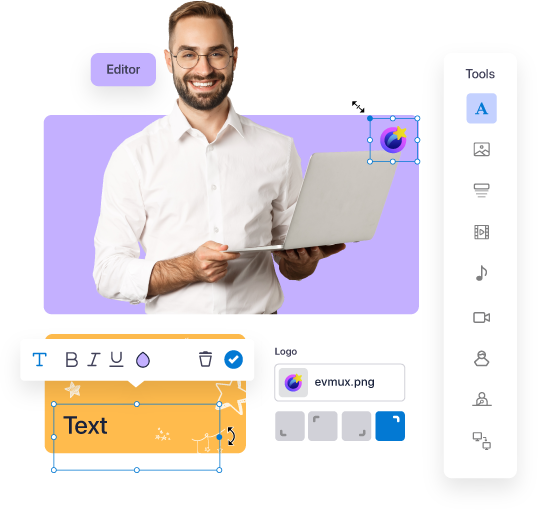
Onboard and set up your broadcasts

Welcome to the family! Make sure to watch our guides to get the best out of your EVMUX subscription.
get involved 3
Step 3
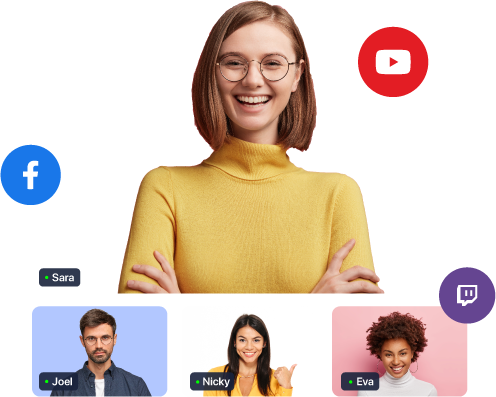
Smash your content out of the park!

Live streaming and recording content is quick and easy with our comprehensive system. You’re now in a new world of increased community engagement, lower setup/stream costs, and much less headache!

Get started
Start today - it's free! No credit card needed.
Try for free